
Shopify Integration
Integrate Denser.ai chat with Shopify. Build a chatbot that knows your products & answers customer questions 24/7 and supports browsing in your store.
Embed DenserAI into your Shopify storefront so shoppers can get instant answers about products, shipping, and promotions--without leaving the page.
What to prepare
- Shopify admin access.
- Your chatbot ID and the Shopify embed snippet from the Denser dashboard.
Pick the page
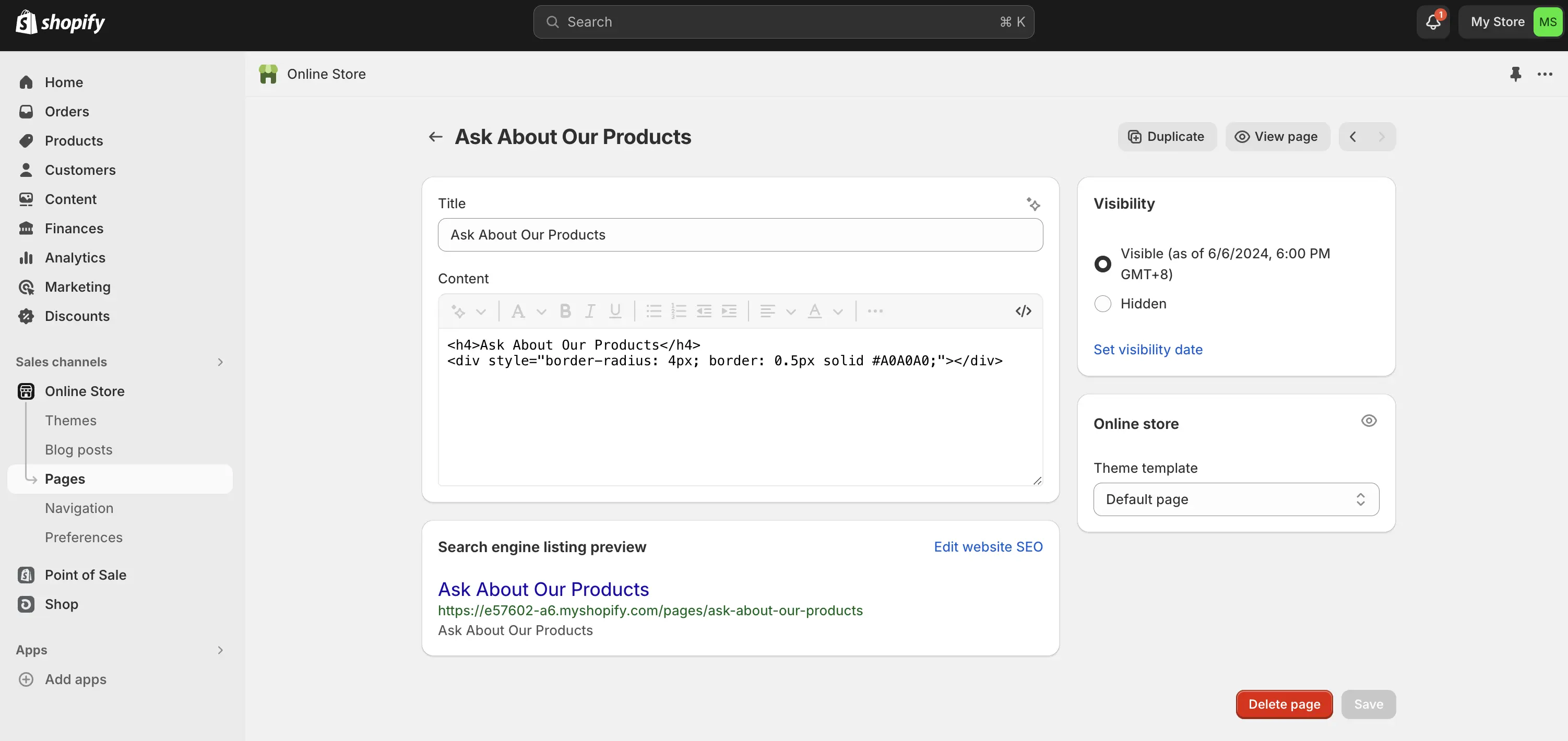
In Shopify, open Sales Channels -> Pages. Choose the page you want to enhance with the chatbot (for example "Ask About Our Products").

Open the HTML editor
In the page editor, click the </> icon under Content to switch to HTML mode.
Copy the Shopify snippet
In your Denser dashboard, go to Deploy -> Shopify and click Get Code. This provides an iframe tailored for Shopify.
Paste and preview
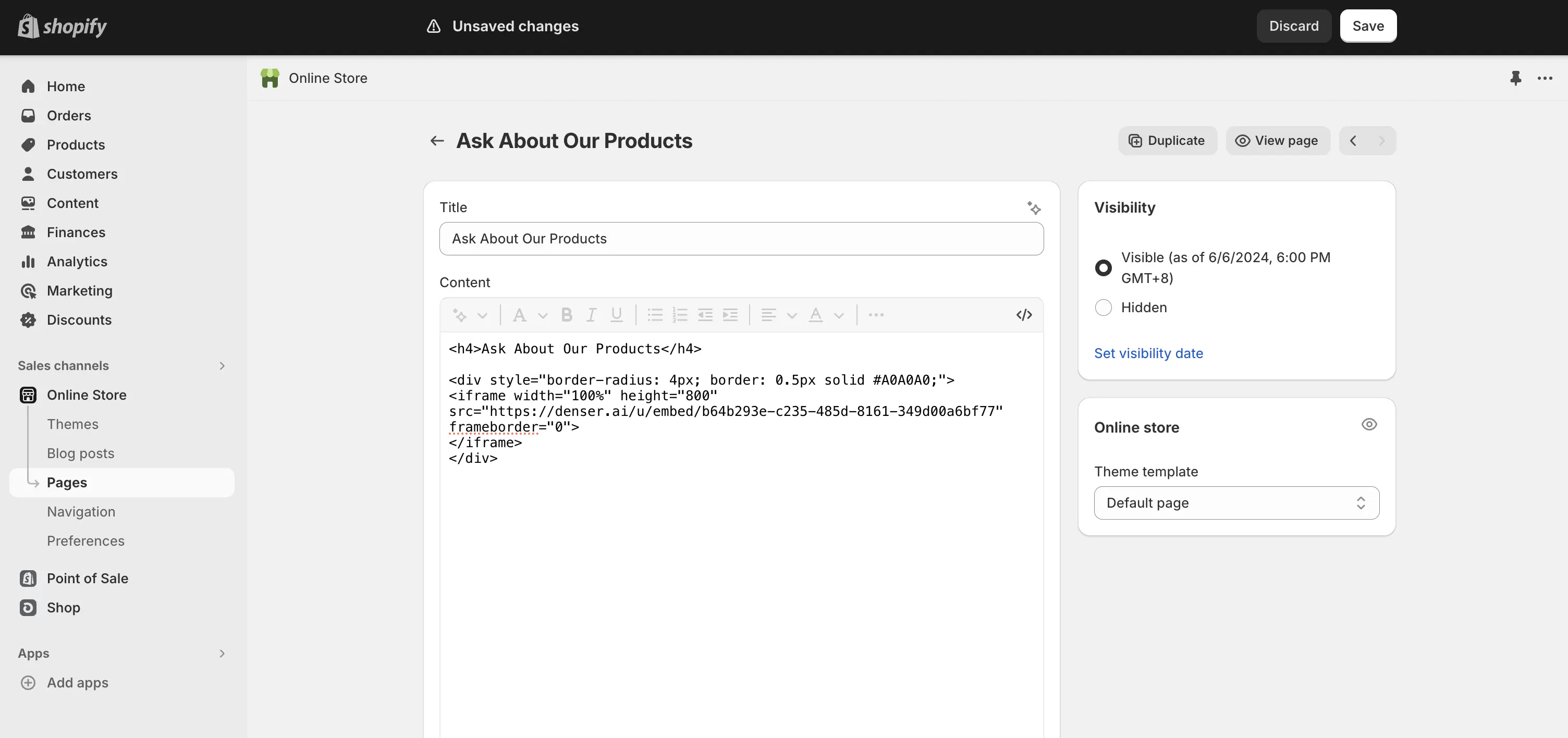
Place the iframe snippet in the HTML editor where you want the chatbot to appear. Click </> again to preview the embedded assistant.
Save and publish
Hit Save so the chatbot goes live on your storefront.